Support
Frequently Asked Questions
What is Tappd?
Tappd helps hybrid workers track which days they go into the office. Log days, view your history, set targets, and get gentle reminders — all in one simple app.
How do I log an office day?
Open the Log tab and tap today's date on the calendar. You can optionally select an office location before confirming.
You can also log from a reminder notification (tap “Log today”), the Apple Watch companion app, or a Siri Shortcut. These use your primary office location if one is set. You can pick a different location when logging manually.
Can I log multiple days at once?
Yes. On the Log screen, tap the multi-date button to select up to 14 days at a time. This is useful for catching up on days you forgot to log.
Can I save more than one office?
Yes. Go to Profile → Locations to add up to five office locations. You can mark one as primary so it gets selected automatically when you log from reminders, Siri, or Apple Watch.
Do I need to create an account?
No. Tappd has no accounts or sign-in. Your logs, locations, filters, reminders, and settings stay on your device.
What are saved and prebuilt filters?
Tappd lets you save date ranges in History so you can reuse them later. You can also add prebuilt filters for common ranges, then set a target number of office days for each one.
Saved filters are limited to 12 at a time, so you can keep the ones you use most.
Can I set up reminders?
Yes. Go to Profile → Reminders and enable the end-of-day prompt. You can choose the time and which days of the week you'd like to be reminded.
Each reminder includes a “Log today” button that records your visit directly — no need to open the app.
Does Tappd have an Apple Watch app?
Yes. The companion Watch app shows whether you've logged today, your primary office, and how many days you've been in this week. Tap “Log today” to record a visit right from your wrist.
The Watch syncs automatically with your iPhone — no setup required beyond installing the app.
What is the default office location?
If you set a primary office in your profile, it is automatically used when you log from a notification, the Apple Watch, or a Siri Shortcut. When logging manually from the app you can always pick a different location. If no primary office is set, logs are saved without a location.
Can I use Siri?
Yes. You can add a shortcut to quickly log today's office visit with a tap or voice command. Your primary office location is used automatically if one is set.
Can I automate logging with Shortcuts?
Yes. Open the Shortcuts app, create a Personal Automation, and add Tappd's Log In-Office action. You can run it when you arrive at the office, when you leave, or at any time you want the log to happen automatically.
If you set a primary office, Tappd uses it for the log so your automation stays simple. Tappd does not request device location permission; arrival and departure triggers are handled by Apple's Shortcuts app.
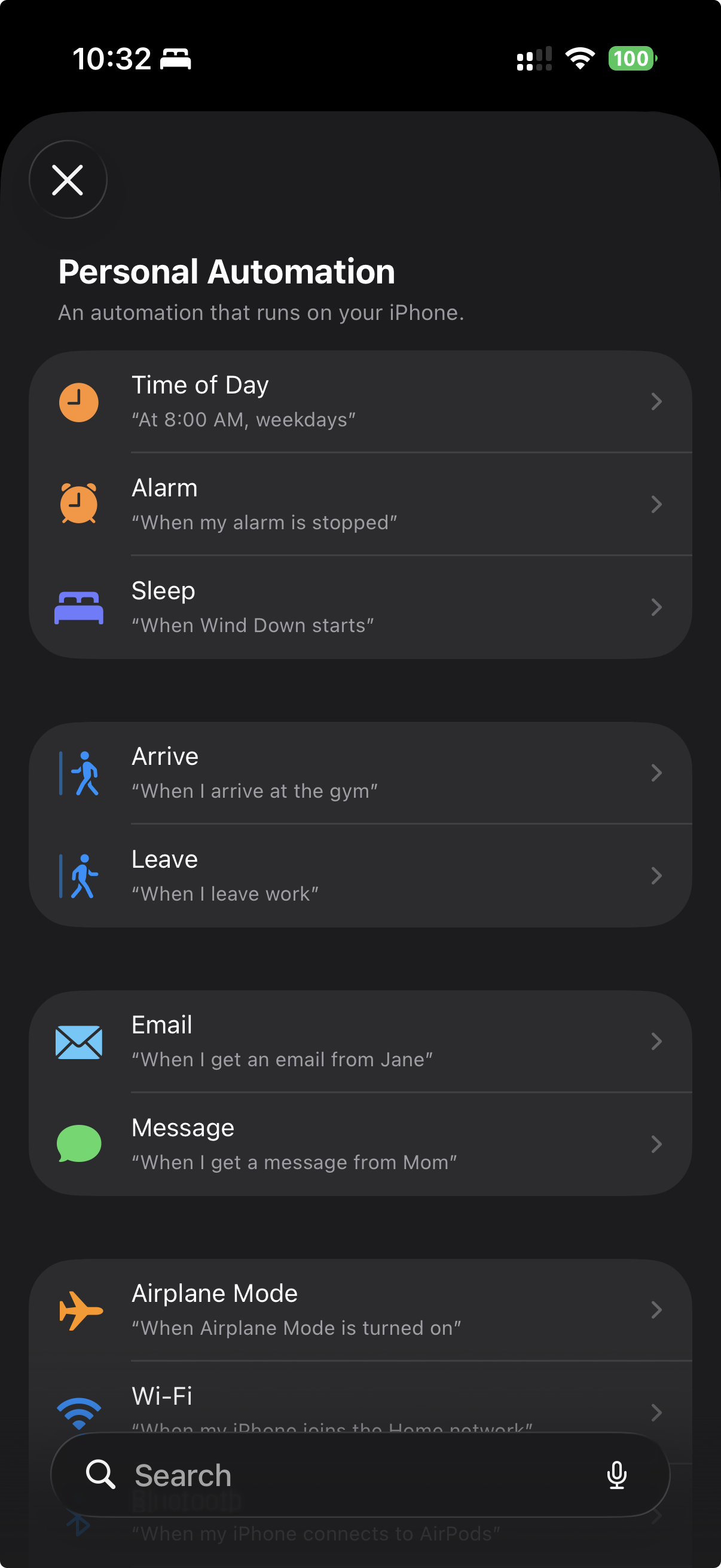
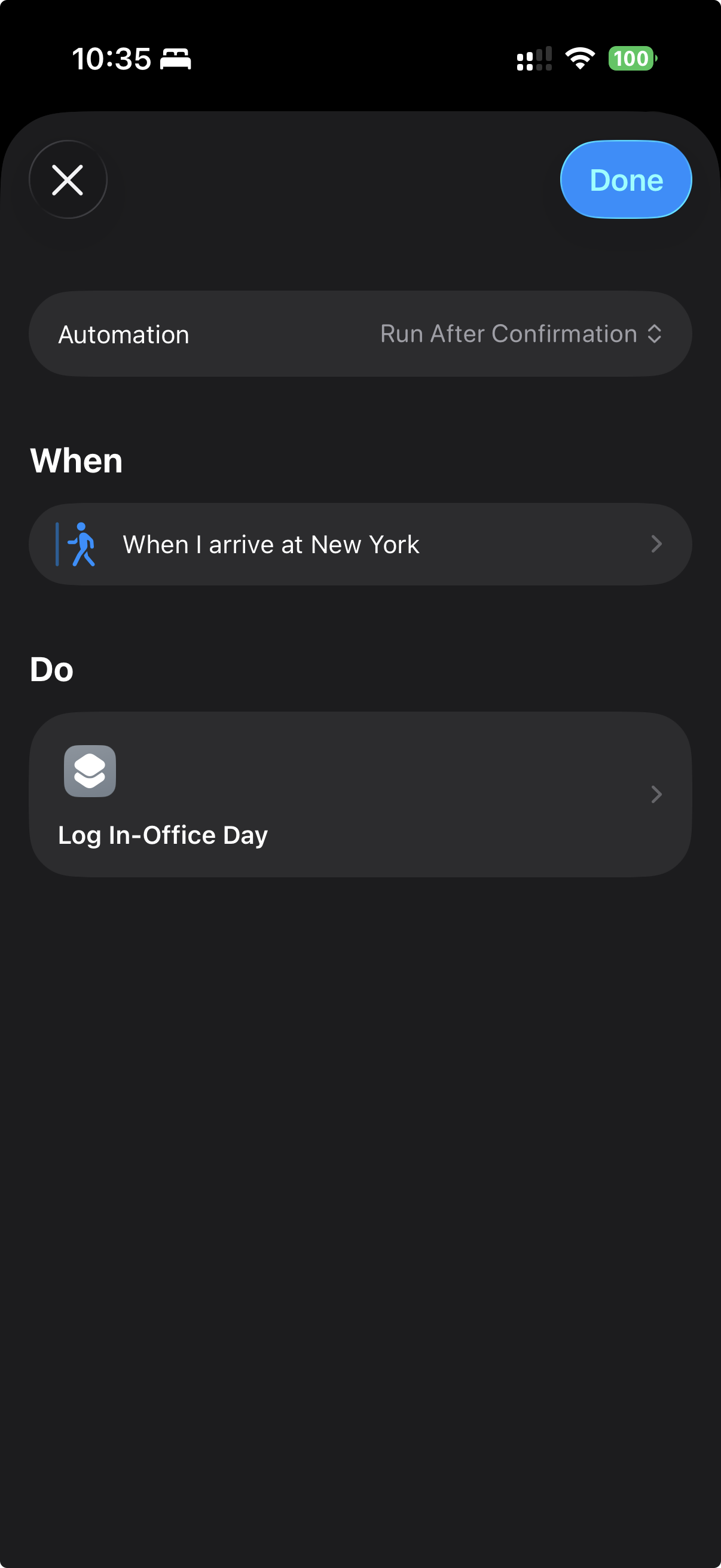
A Shortcuts automation can run on arrival, departure, time of day, and many other triggers.
What data does the app collect?
Only what you provide: your logs, office locations, profile details, saved filters, reminder settings, and Apple Watch companion state. No accounts, ads, analytics, or tracking. See our full Privacy Policy for details.
How do I delete my data?
You can delete individual log entries from the History tab. To clear local app data on this device, use Wipe All Data in Profile.
Uninstalling the app also removes its local app data, subject to how iOS manages device backups.
Does the app require an internet connection?
No. Tappd works without an internet connection. Optional prebuilt filter updates may use the network when available, but the app includes a local fallback.